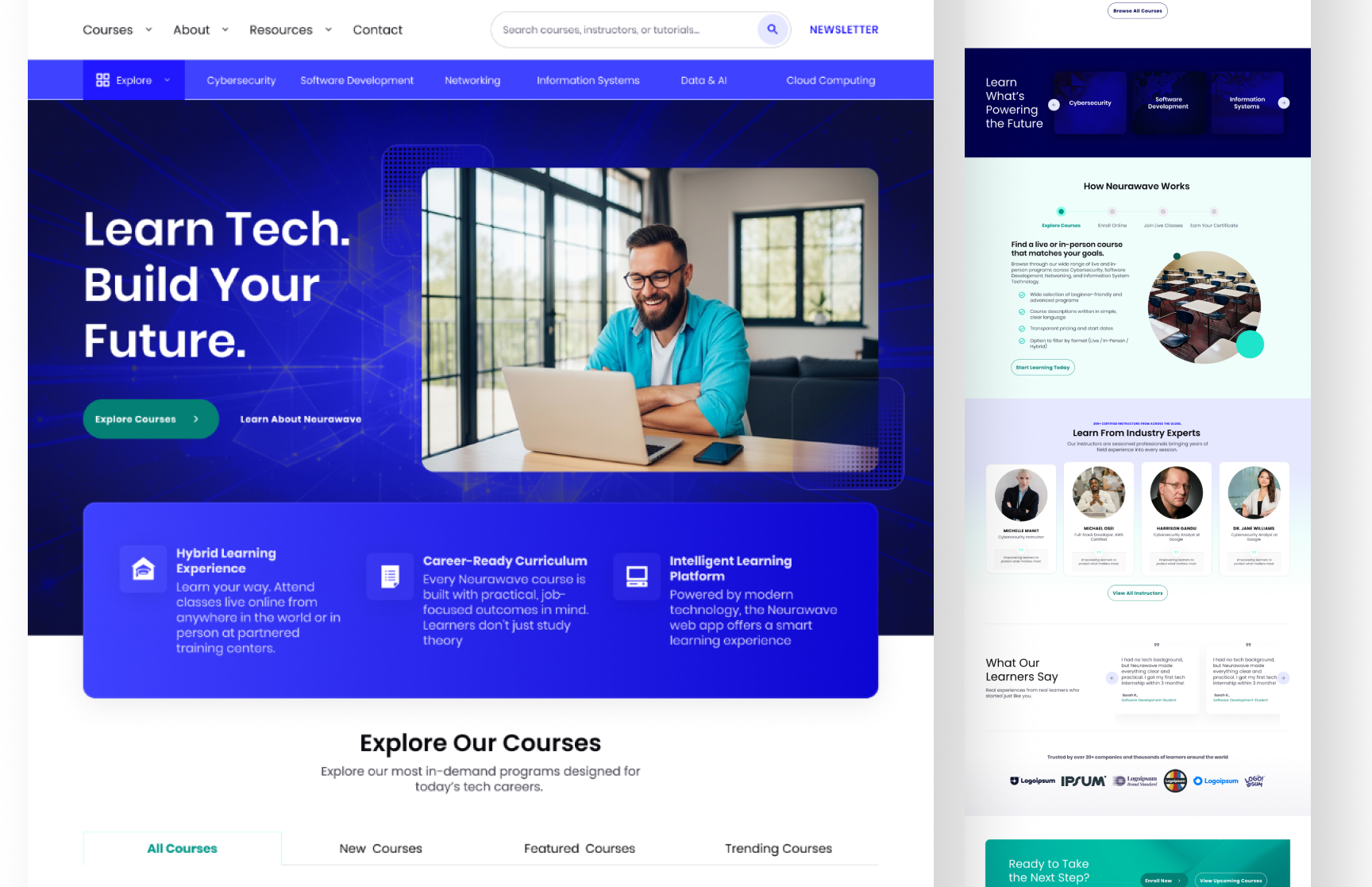
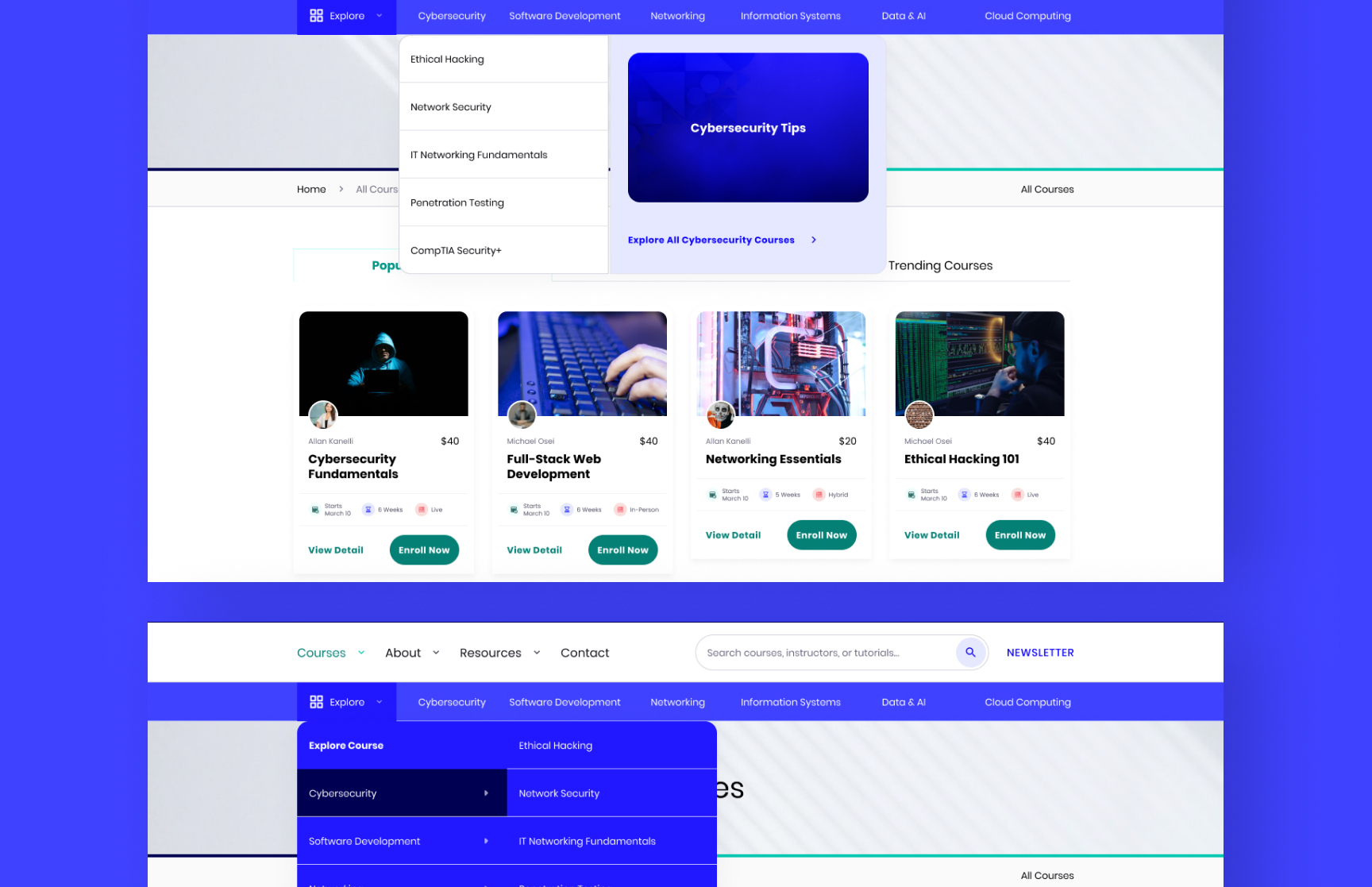
Neurawave Tech Academy is a hybrid e-learning platform designed to support both online and in-person technical education. The project included the design of a public-facing website, a student dashboard, and an admin dashboard for instructors and staff. The goal was to create a scalable and easy-to-use platform that simplifies course management, student learning, communication, reporting, and administrative operations while supporting multiple user roles and hybrid learning workflows.
Client
Nurawave
Category
Mobile App, Elearning
Industry
Education
Overview
Neurawave Tech Academy is a hybrid e-learning platform designed for both online and in-person technical education. The platform includes:
A public marketing website
A student learning dashboard
An admin dashboard for instructors and staff
The goal of the project was to simplify learning management, student engagement, course administration, and internal operations through a scalable and easy-to-use system.
The Challenge
The platform needed to support multiple workflows and user types without becoming difficult to navigate.
Some of the key challenges included:
Managing different user roles and permissions
Supporting both online and physical classes
Structuring assignments, quizzes, and assessments
Organizing large amounts of admin data
Keeping workflows simple for instructors and staff
The Solution
To improve usability and scalability, the platform was structured into focused modules and role-based experiences.
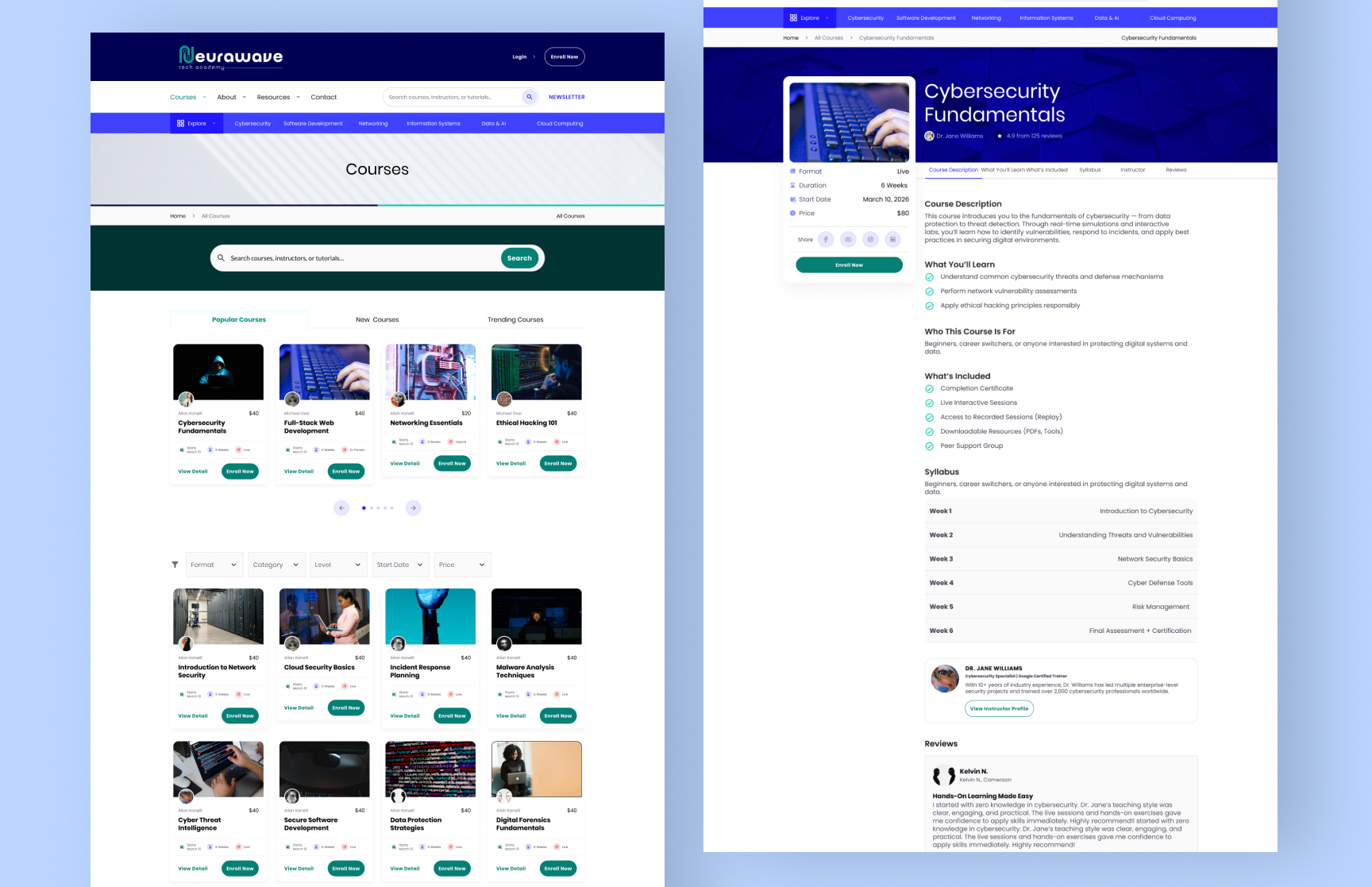
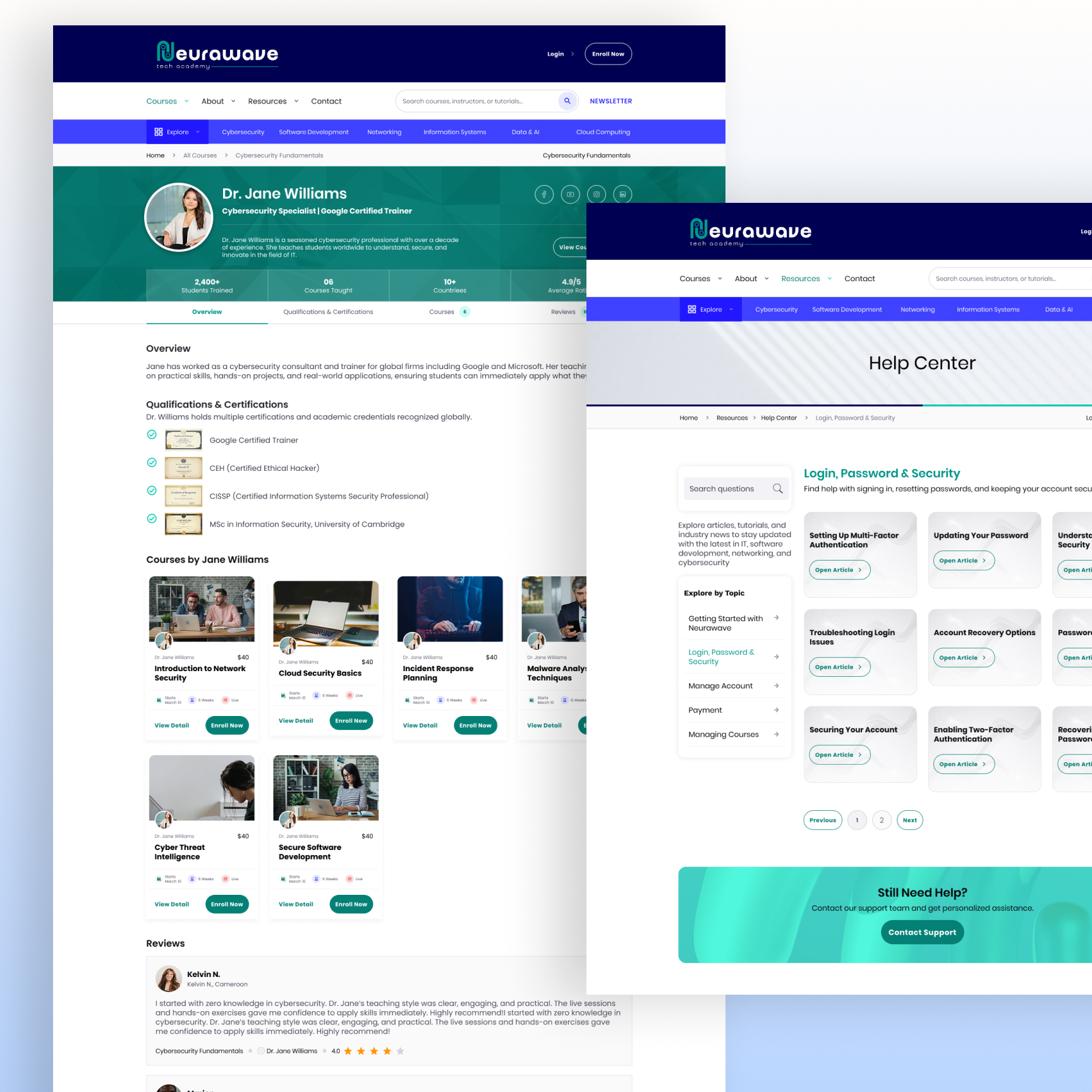
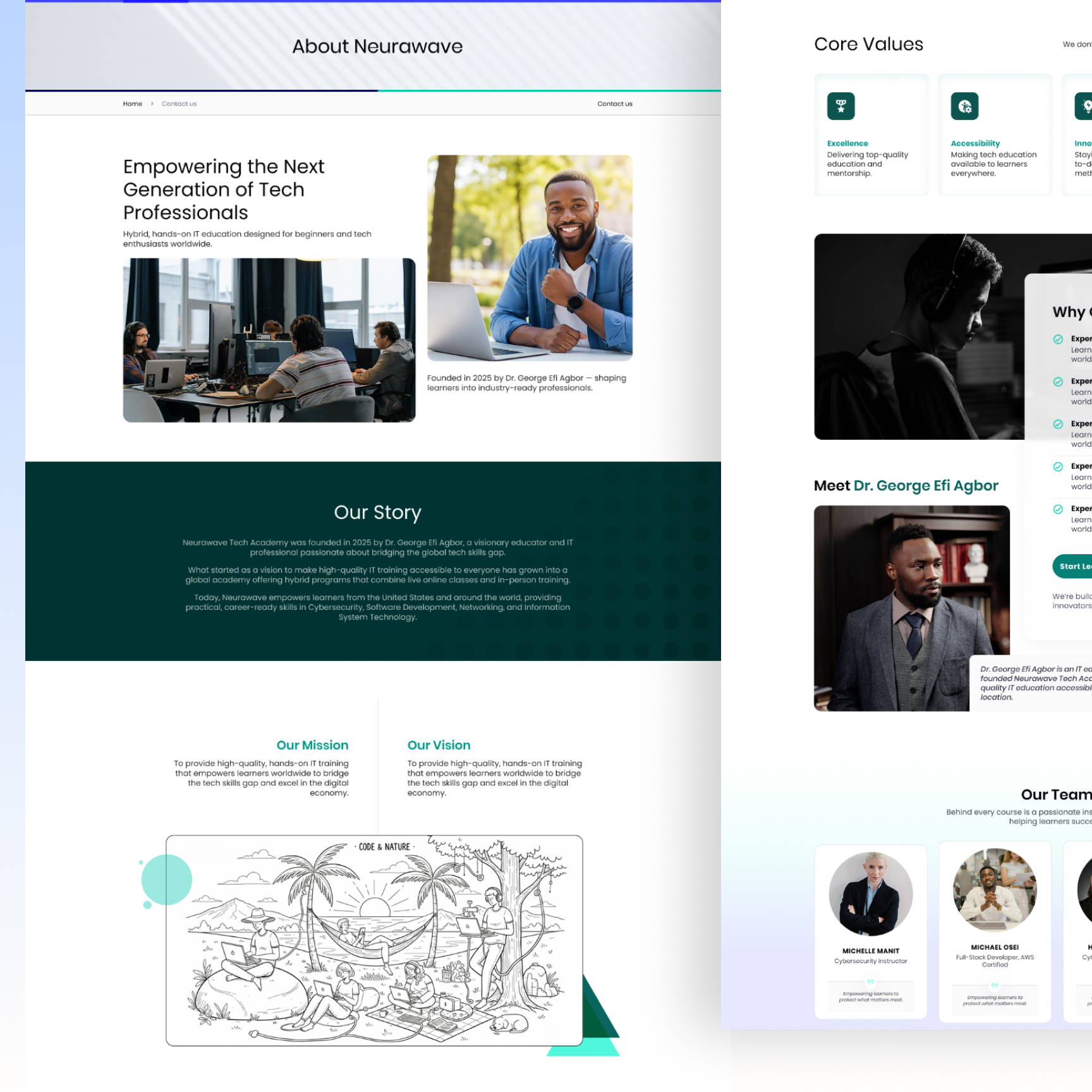
Website
The website was designed to help prospective students:
Explore courses
Learn about the academy
View instructors
Enroll and pay for courses
The focus was on clear navigation and a simple enrollment flow.
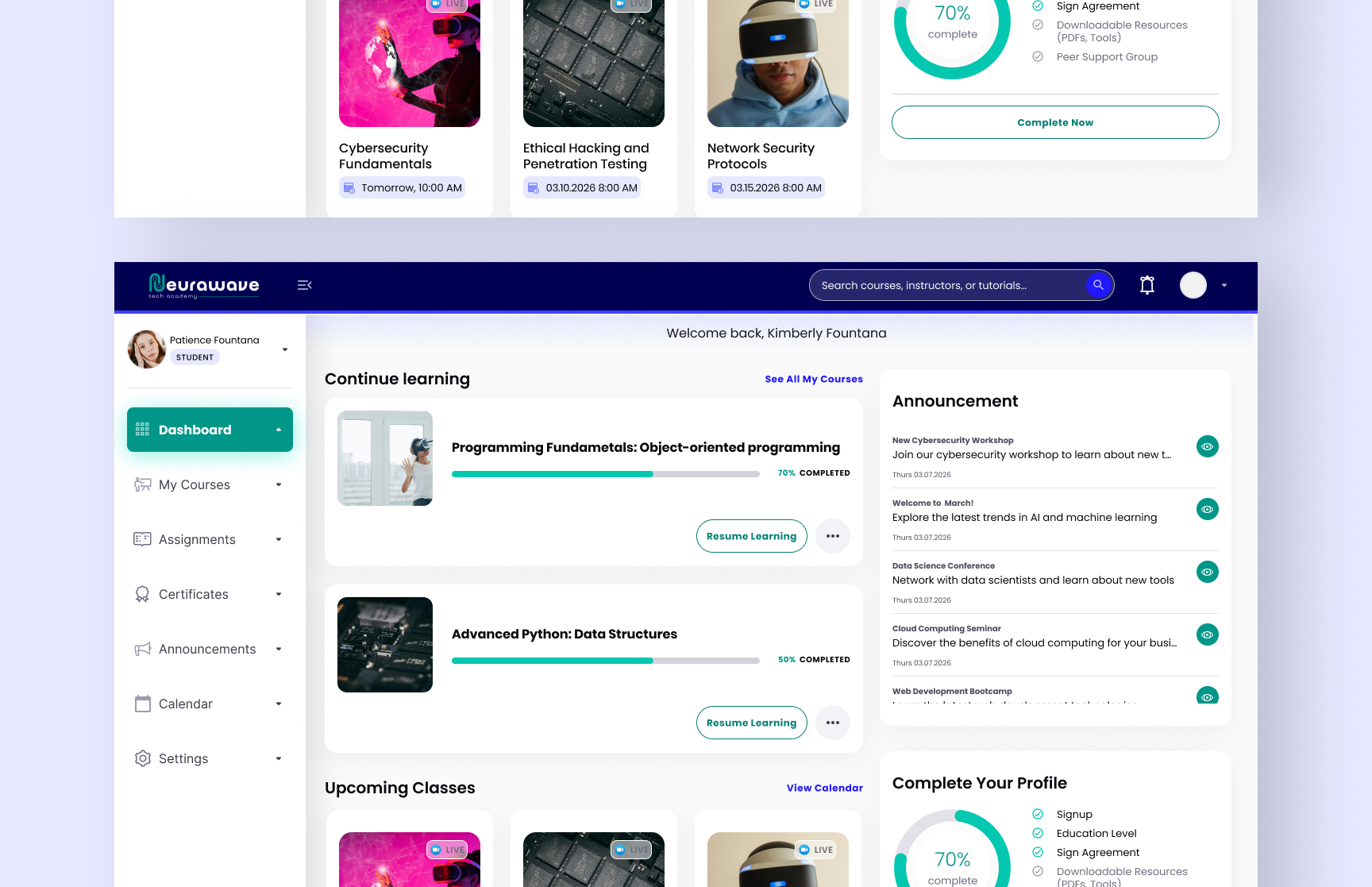
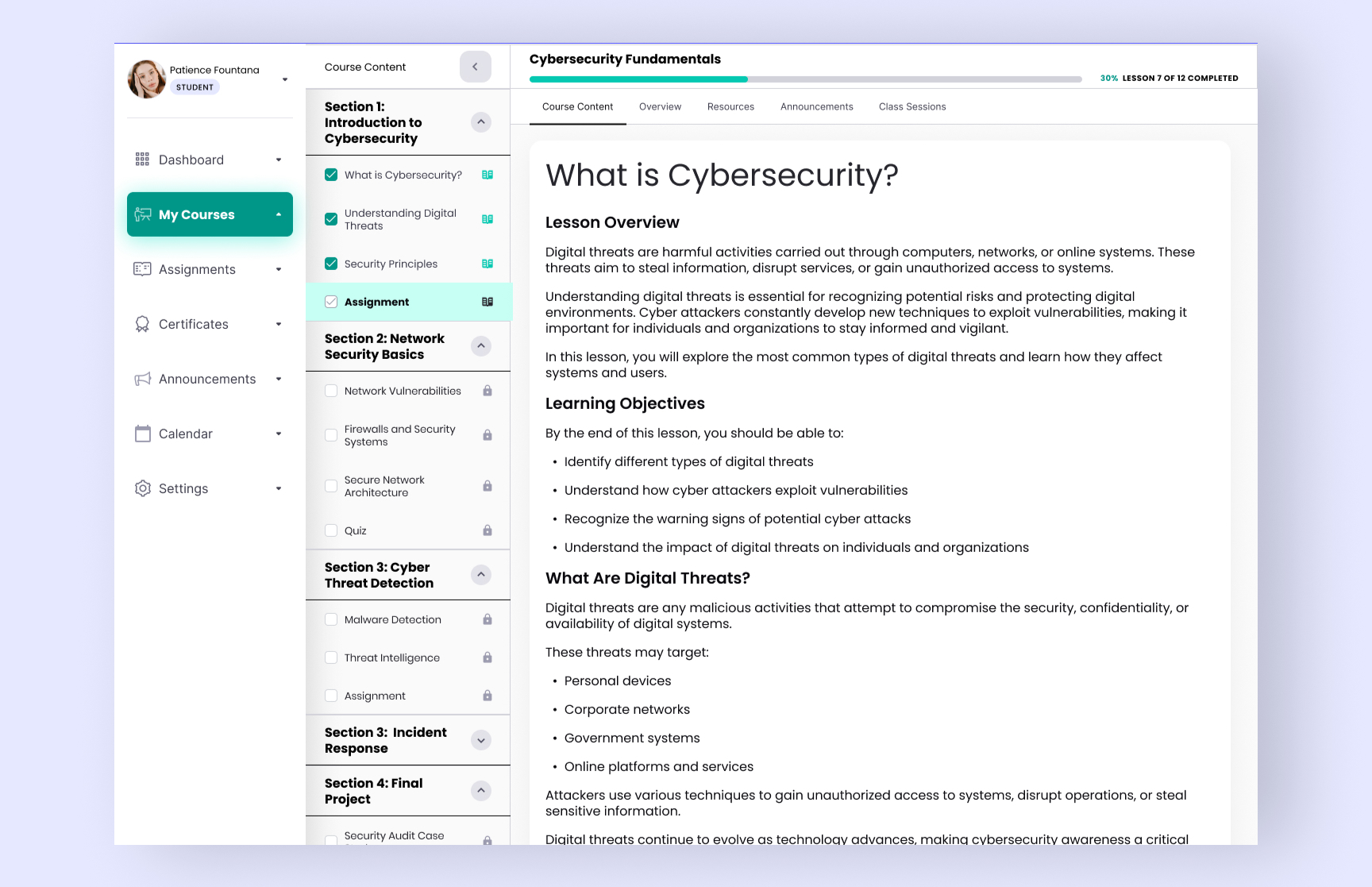
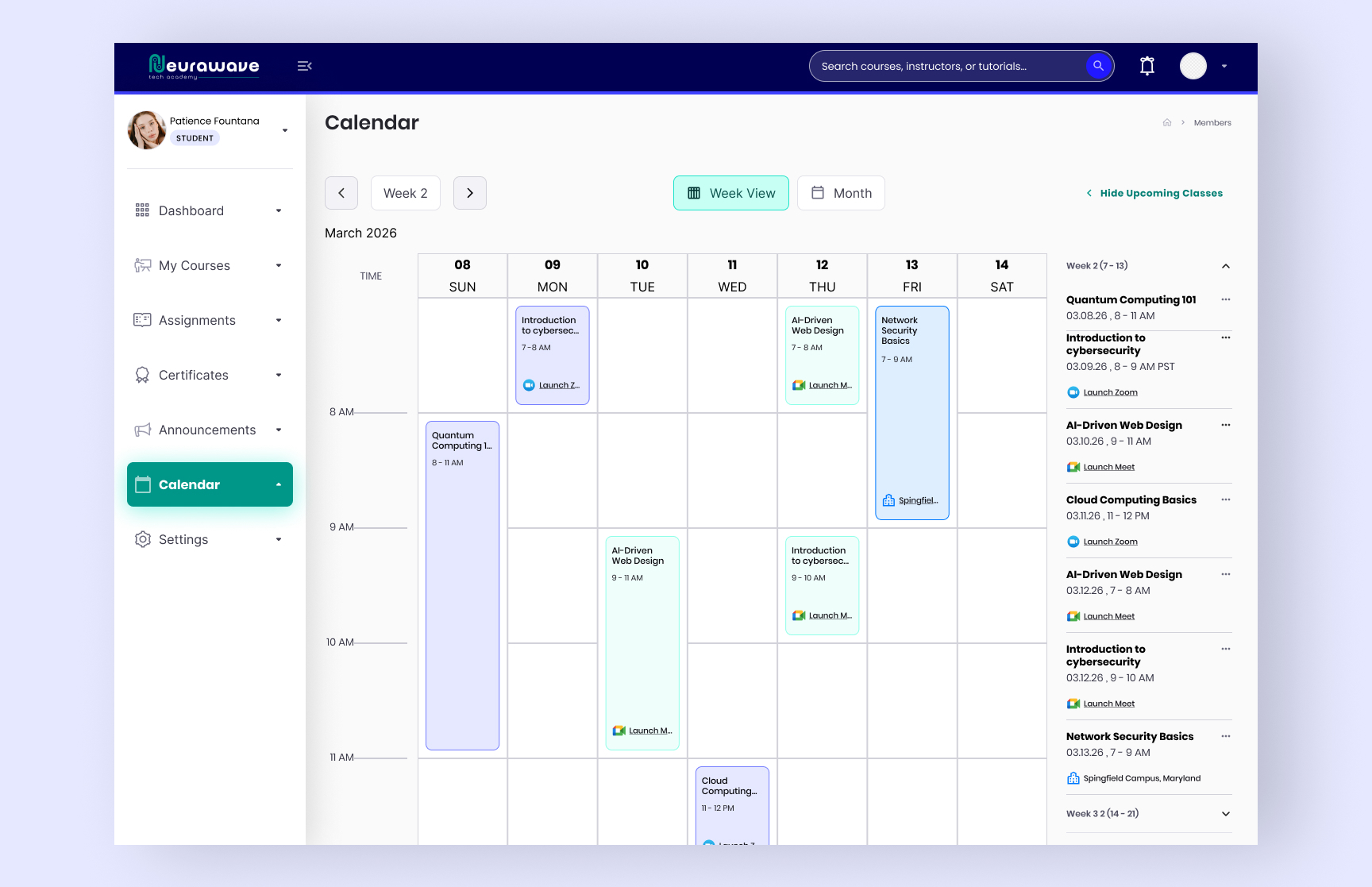
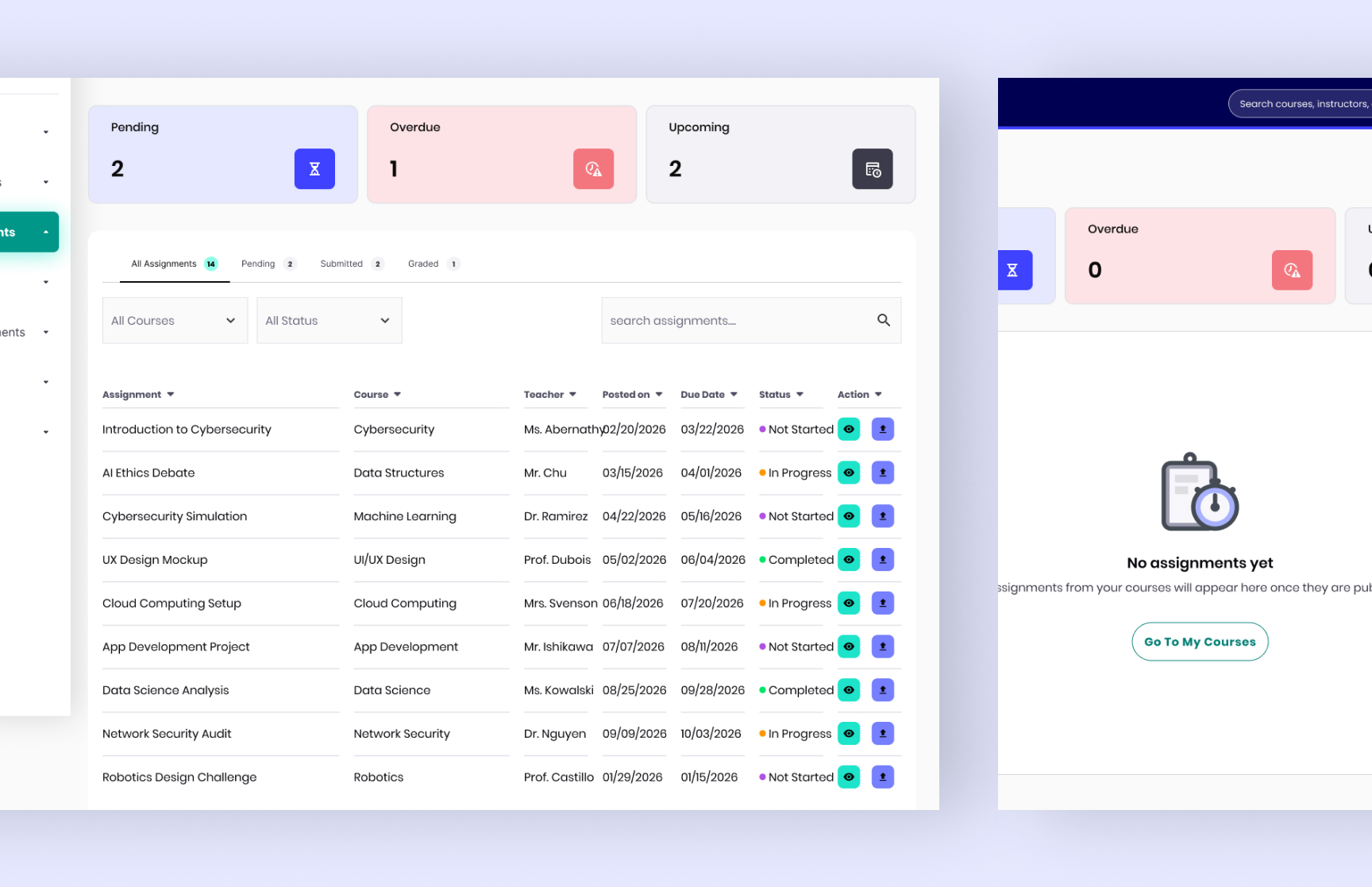
Student Dashboard
The student dashboard focused on structured learning and progress tracking.
Key features included:
My Courses
Assignments & Quizzes
Calendar & Events
Announcements
Certificates
Notifications
Courses were organized into weekly modules to create a guided learning experience.
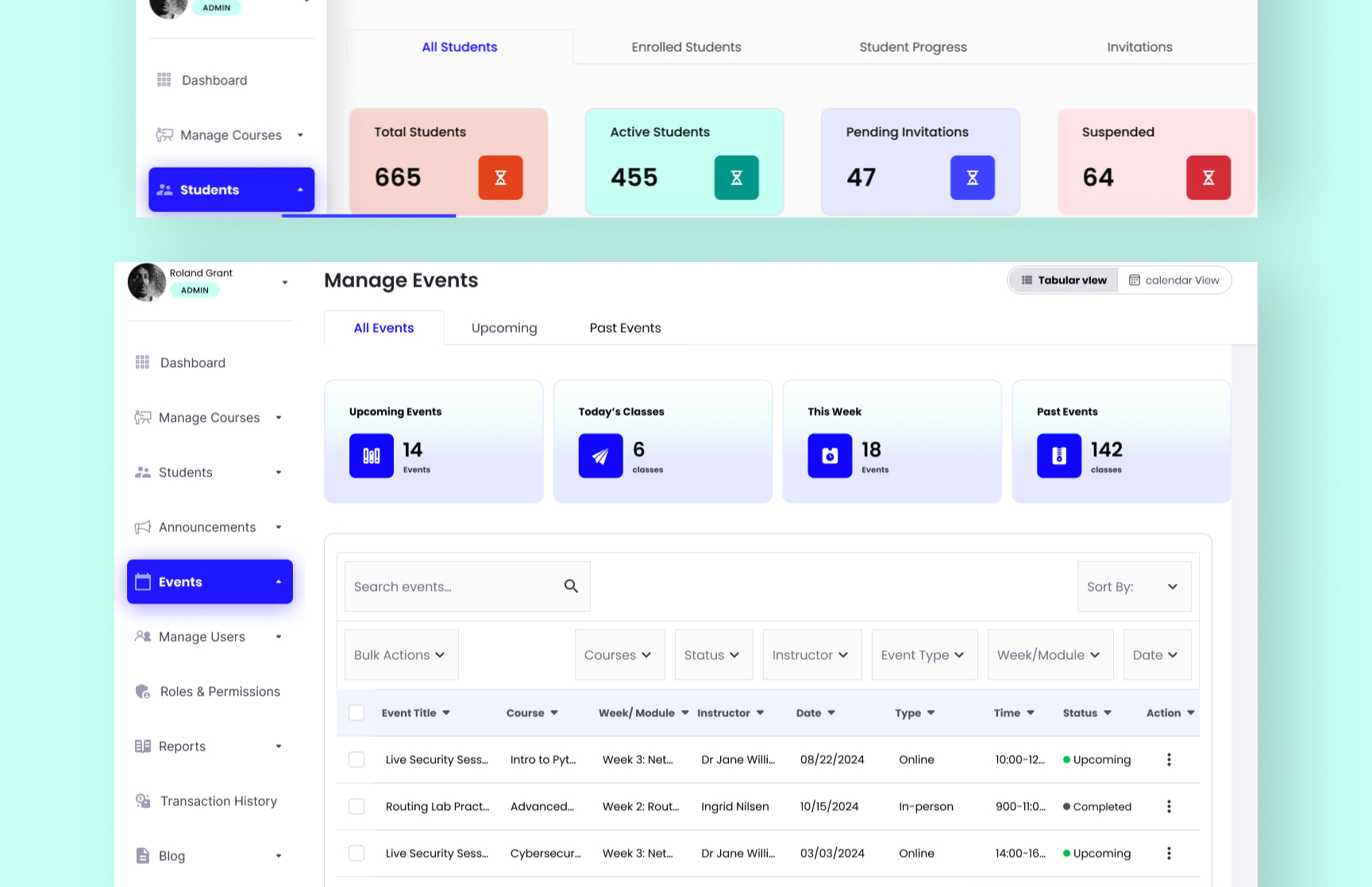
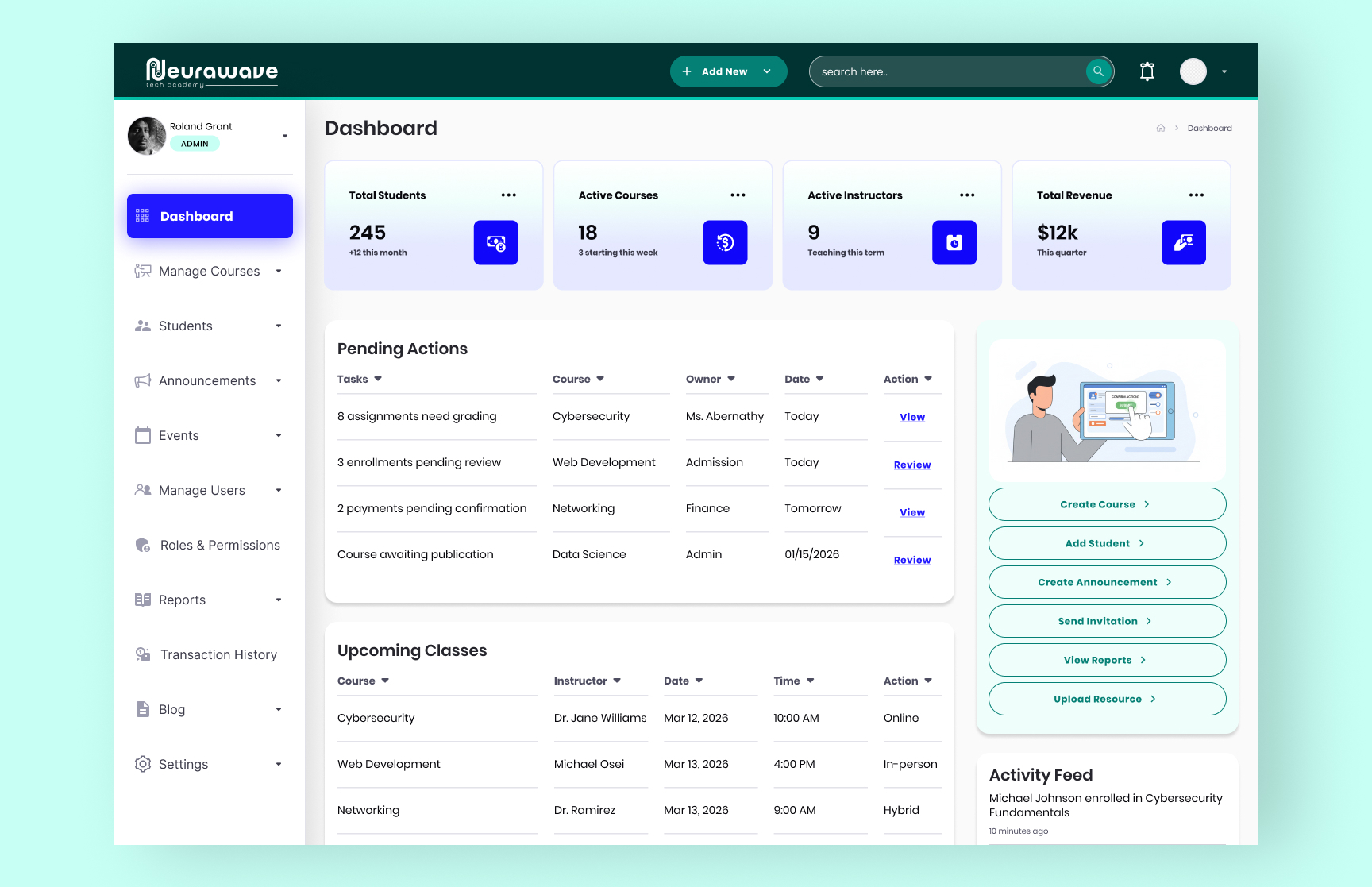
Admin Dashboard
The admin dashboard served as the operational center for instructors and staff.
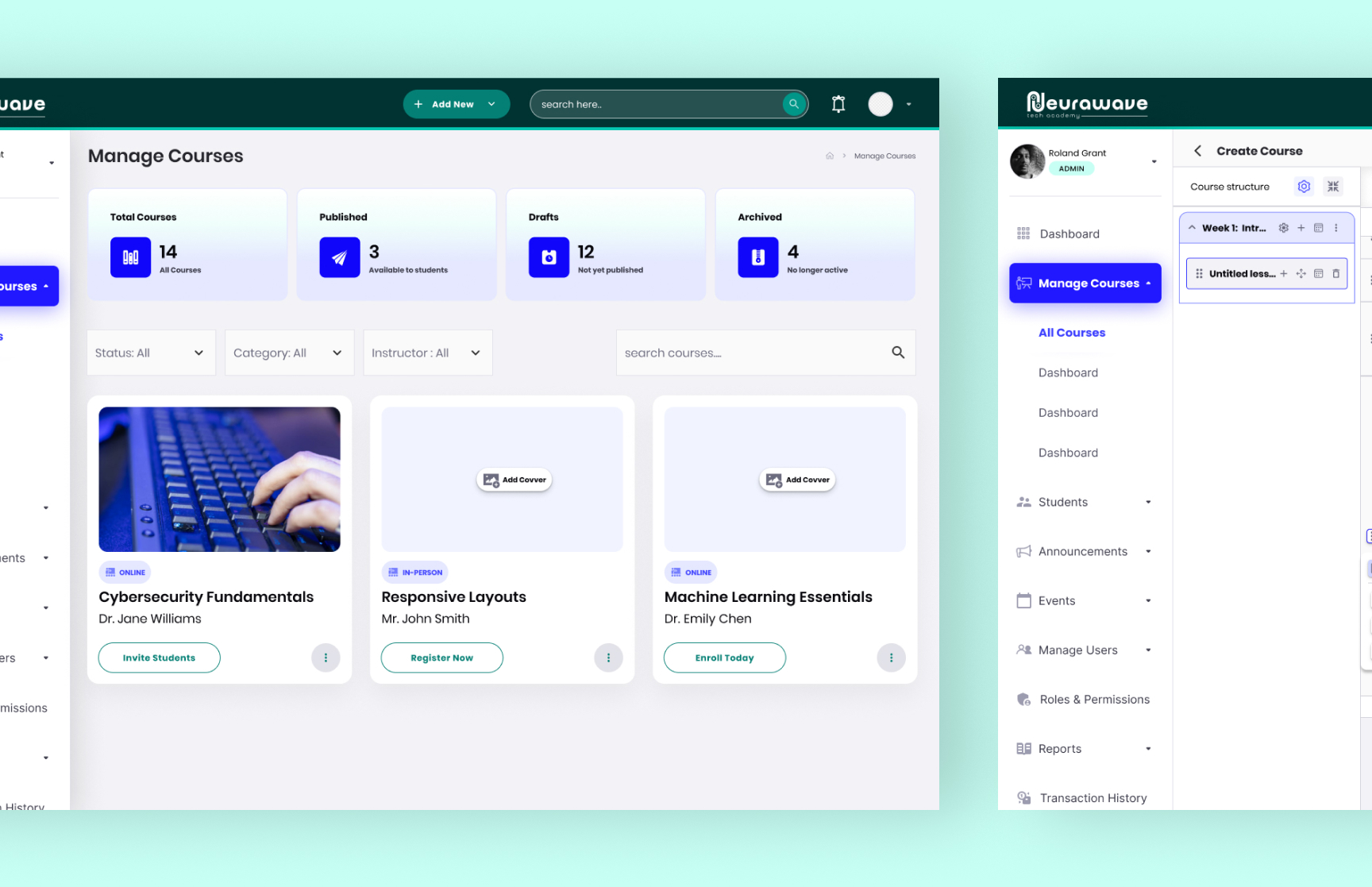
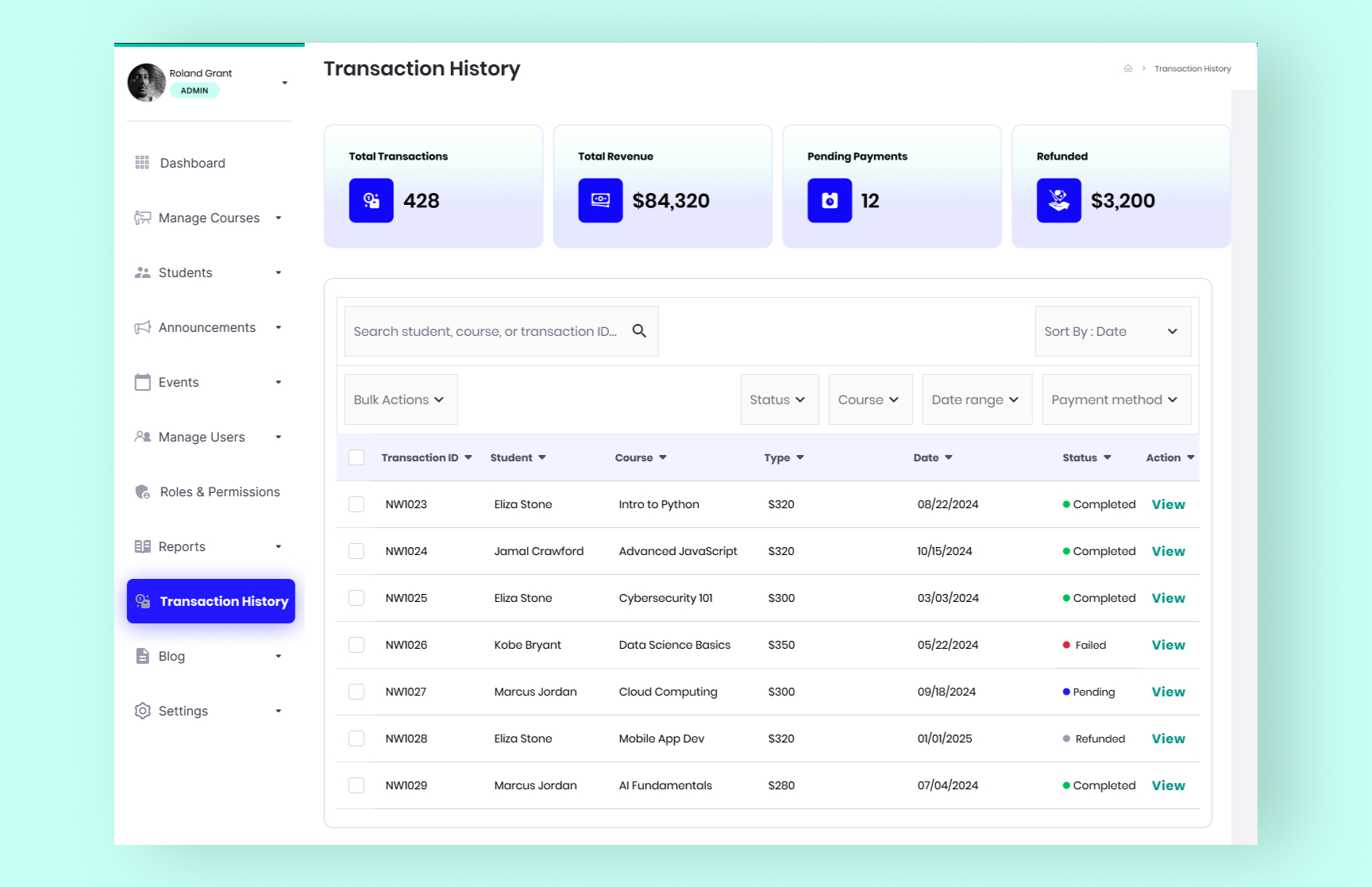
Main modules included: Manage Courses, Students, Admissions, Reports, Events, Announcements, Transactions, and Roles & Permissions
The dashboard used role-based access control to ensure that each department accessed only the relevant tools and information.
Key UX Decisions
The system was divided into smaller focused modules to reduce complexity and improve navigation.
01 Reusable Assessment System
Assignments, quizzes, and final assessments were designed within one flexible structure supporting:
Multiple choice questions
File uploads
Text responses
Code submissions
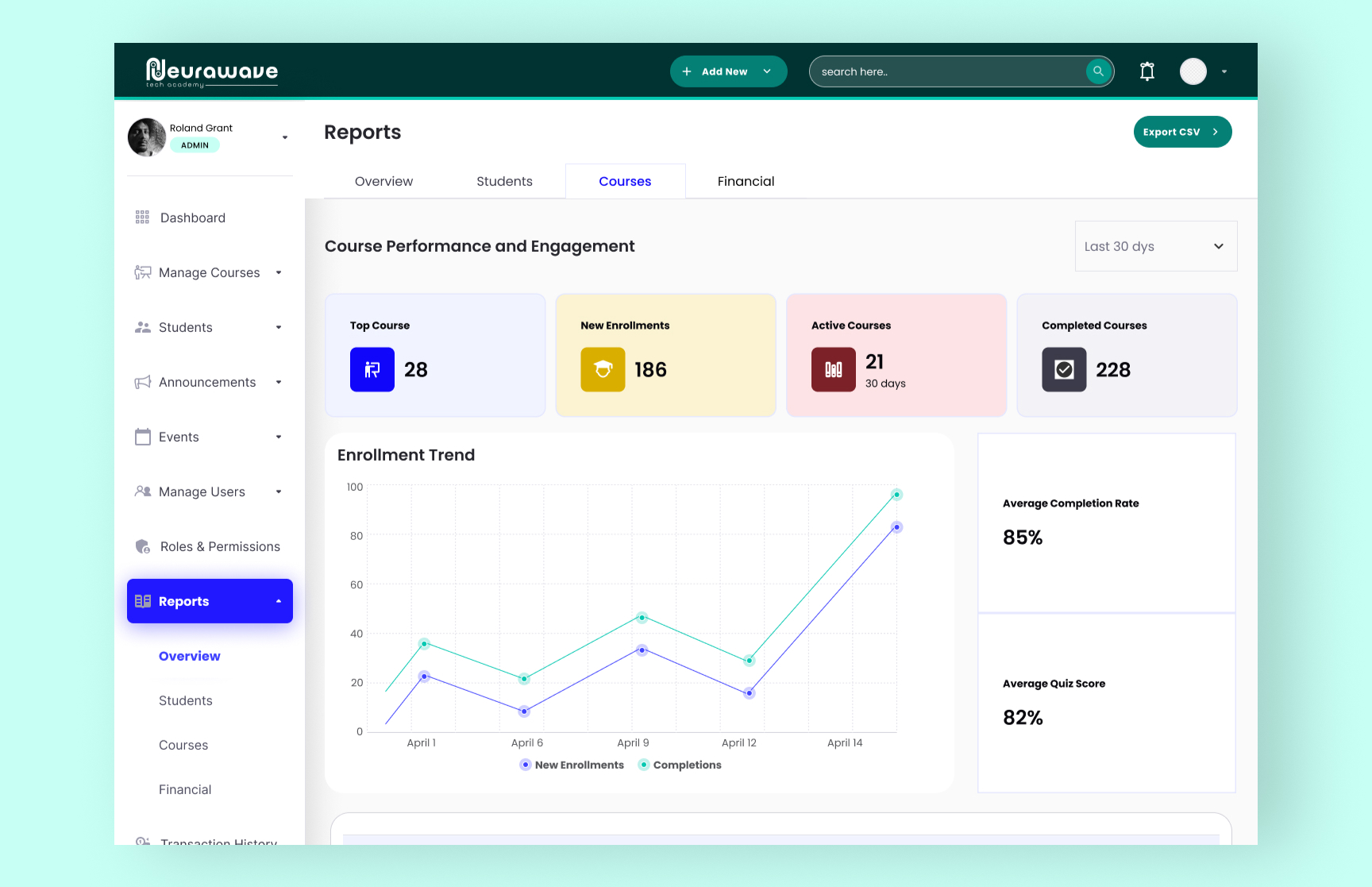
02 Simplified Reporting
Reports were grouped into:
Overview
Students
Courses
Instructors
Financial
Each section included summary cards, charts, tables, and export functionality.
03 Lightweight Communication
The admin dashboard served as the operationalAnnouncements and event updates were intentionally kept simple to allow instructors to communicate quickly with students. center for instructors and staff.
Main modules included: Manage Courses, Students, Admissions, Reports, Events, Announcements, Transactions, and Roles & Permissions
The dashboard used role-based access control to ensure that each department accessed only the relevant tools and information.
Outcome
The final solution delivered a structured and user-friendly learning platform that supports both academic and administrative workflows. By organizing the experience into focused modules and role-based dashboards, the platform made it easier for students to manage their learning journey and for staff to manage courses, communication, reporting, and operations efficiently. The system was designed to remain scalable, flexible, and easy to navigate as the platform grows.